Robotrax Phoneme Studio
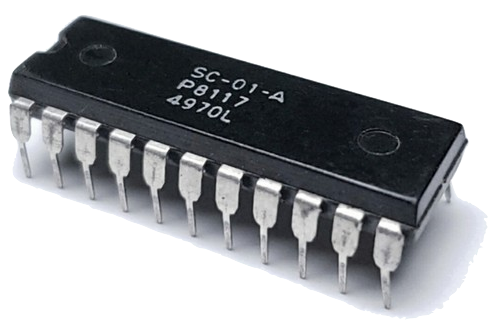
SC-01 voice sequencer
How it works
- Type English text; it is converted to approximate IPA, then mapped to Votrax SC-01 phonemes (official table). Consonants are blue badges; vowels are red dropdowns so you can swap sounds quickly.
- The Phoneme Controls panel sets per-token duration / spacing (ms), velocity, inflection (sent as MIDI CC1), and pitch note (sent on MIDI channel 2), used for both live output and export.
- In real-chip mode, each duration slider starts at the phoneme's minimum duration from the SC-01 datasheet. The chip controls its own timing, so increasing the slider adds time before the next phoneme. Enable Robotrax emulator: allow short durations to use a 10 ms minimum with the future interruptible software emulator. The selected mode is stored in this browser.
- Connect MIDI Device then Send MIDI Notes plays the sequence over Web MIDI (Chrome/Edge). With the text field not focused, Space sends the sequence.
- Download MIDI saves
Robotrax.midfor import into your DAW. Route the MIDI track to Robotrax_emu to hear it. - Robotrax receives phonemes and CC1 inflection on MIDI channel 1, and chromatic pitch notes on MIDI channel 2. With the current Kraftor host, select MIDI OMNI so channel 2 is not filtered.
IPA Phonemes:
həˈloʊ
Robotrax (Votrax SC-01) Phonemes:
H
UH2
L
O
Direct score
Write SC-01 phonemes and performance markers directly.
0 events
Ready.
Score syntax
H UH2 L OSC-01 phonemesd100 / dset / reset following duration (ms)v127 / vset / reset following velocityi2 / iset / reset following inflection (0 to 3)nC3 / nF#3 / nset / reset the following chromatic note, .short PA0 / long PA1 paused120 , dmake an exact 120 ms pause, then restore normal durationsParsed sequence0 ms
Audition phonemes
Hold to audition. Ctrl/Cmd-click inserts into the score.
Piano roll
Drag a phoneme into the grid. Move it left/right for timing, up/down for chromatic pitch, and drag its right edge for duration.
Drag phonemes here to build your sentence.